Step to apply Margin Trading
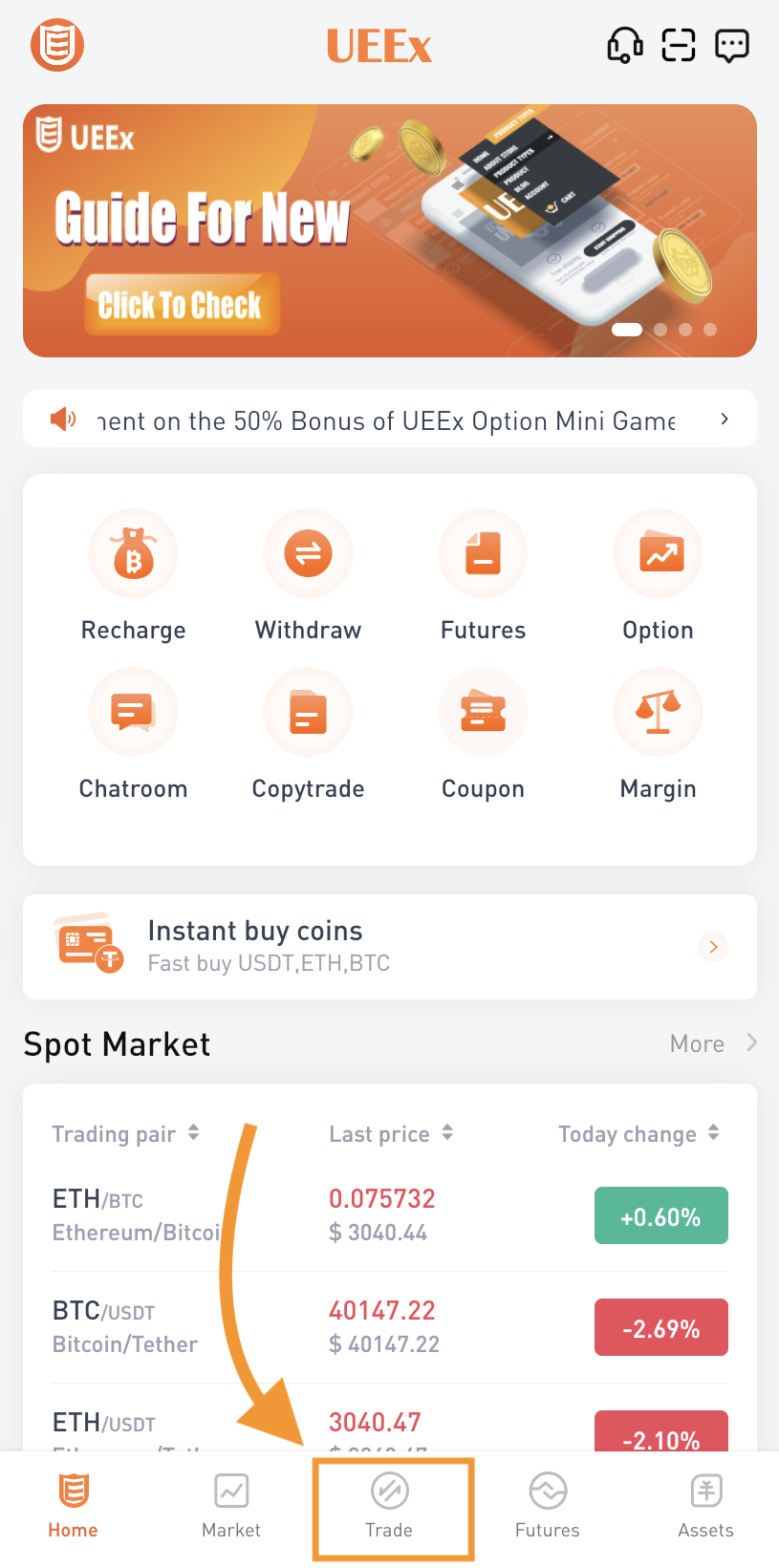
Step 1
Open UEEx App home page, click [ Trade ] button at bottom of the page
Step 2
Click on [ Margin ] button at the top of page
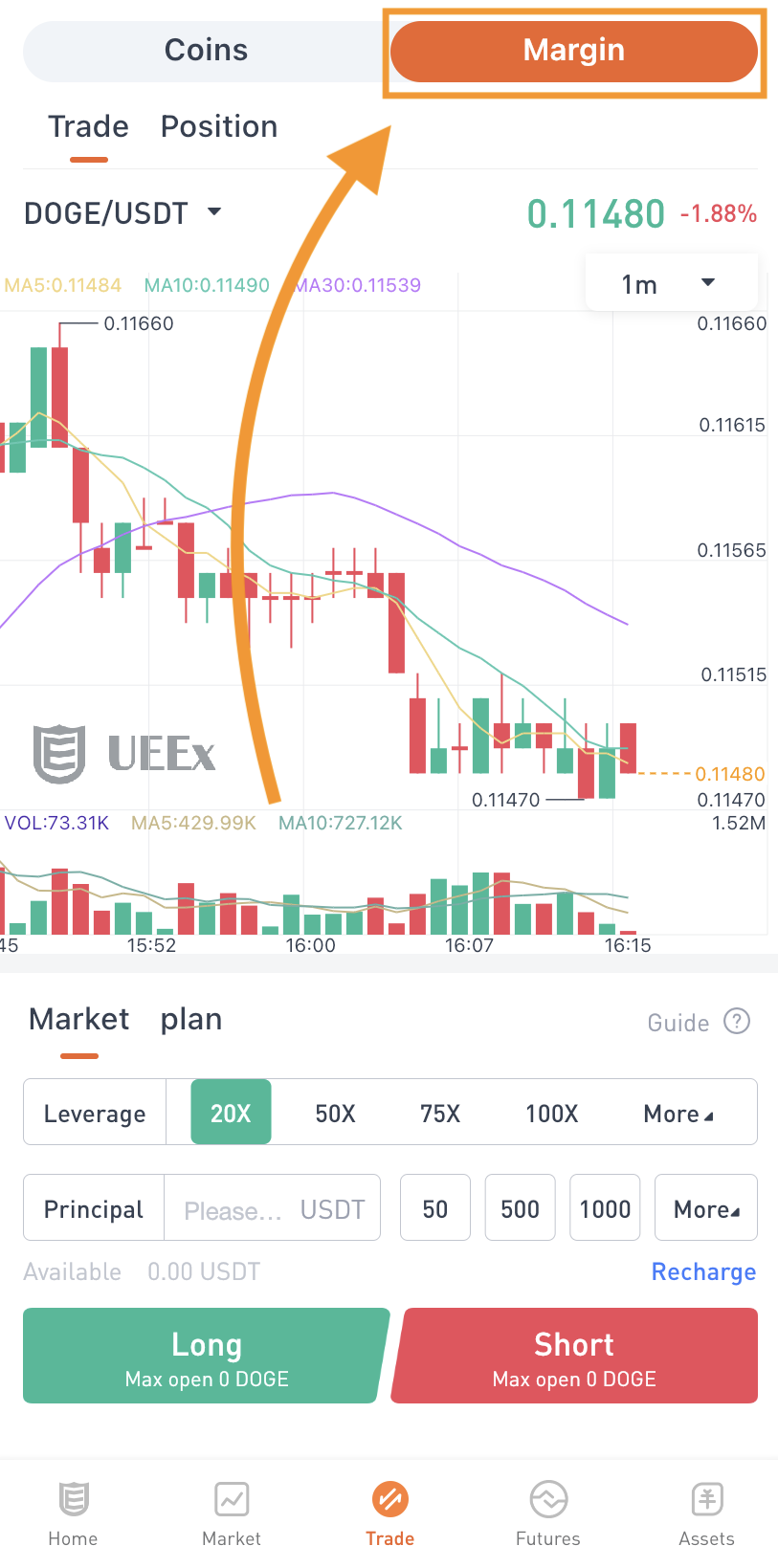
Step 3
Choose your leveraged amount, key in principal that going to invest, then click on [ Long ] or [ Short ]

How to check your position
Click on [ Position ] button switch to this page, you can check your total position's profit & loss here

Close Position
Close Position mean immediately close the profit & loss of the position at latest market price. After closing the position, the principal and closing profit and loss of this position will be returned to the balance.
Just click [ Close ] button if need to close position.

Margin Trade History
If you need to check your trading history, please go to position page and click button in picture below


Profit & Stop Limit
You can set profit & loss limit also for avoid miss your target price, just need to press on [ Stop P&L ] and set it.

More about margin trading
UEEx Operation Team
May 1, 2022
UEEx Telegram Official Community
FeiXiaoHao: UEEx Trading Platform Introduction


UEEx Customer Service
Official Email: official@ueex.com
Customer Service Email: customer-service@ueex.com
The final interpretation right of this event belongs to UEEx official.






Comments
0 comments
Article is closed for comments.